 AuctionGate.io




Przejmij
pełną kontrolę
nad swoimi kontami aukcyjnymi
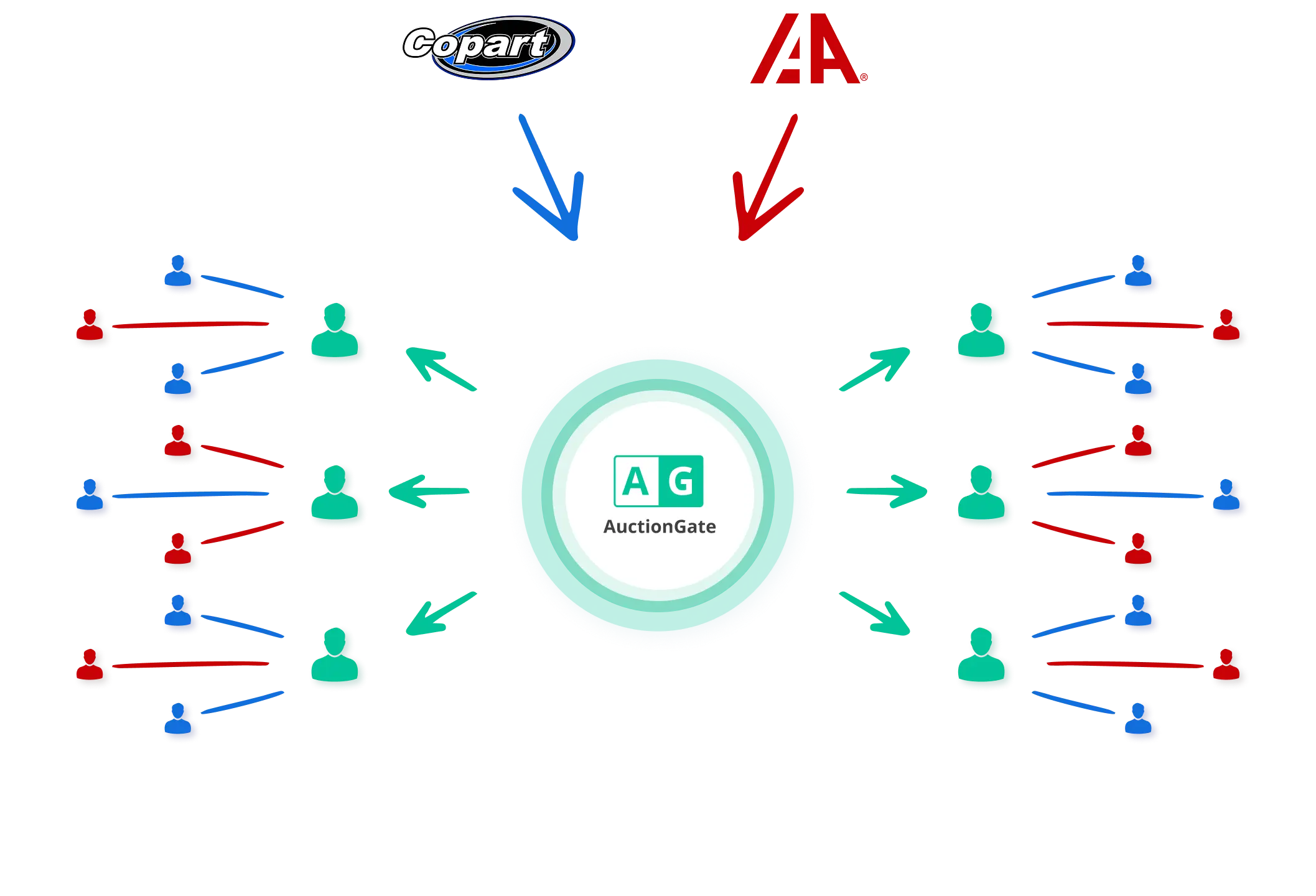
Wszystko, czego potrzebujesz do zarządzania operacjami aukcyjnymi
- Dodawaj, aktywuj lub dezaktywuj konta aukcyjne
- Przypisuj supervisorów, managerów i kontroluj dostęp do kont
- Ustaw geograficzne ograniczenia licytacji: wybierz dozwolone stany USA dla każdego konta
- Identyfikuj błędy prowadzące do opłat relistingowych Copart
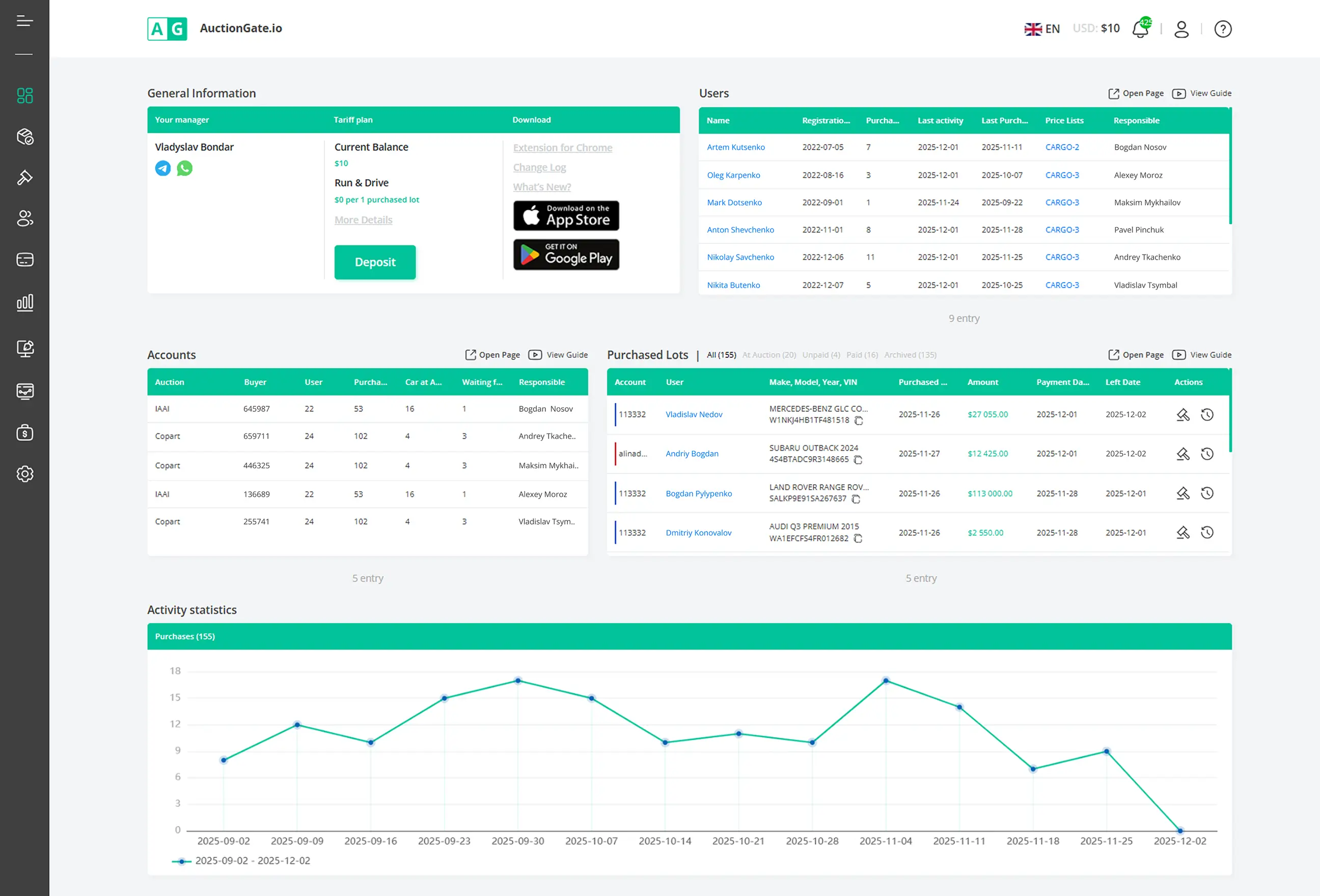
- Kontroluj, którzy użytkownicy mają dostęp do poszczególnych kont aukcyjnych
- Ustaw limity licytacji (maksymalna oferta na lot, łączna liczba ofert, łączna kwota ofert)
- Zezwalaj lub ograniczaj działania Pre-Bid i Live-Bid
- Zachowuj pełną historię dostępów i zmian ról
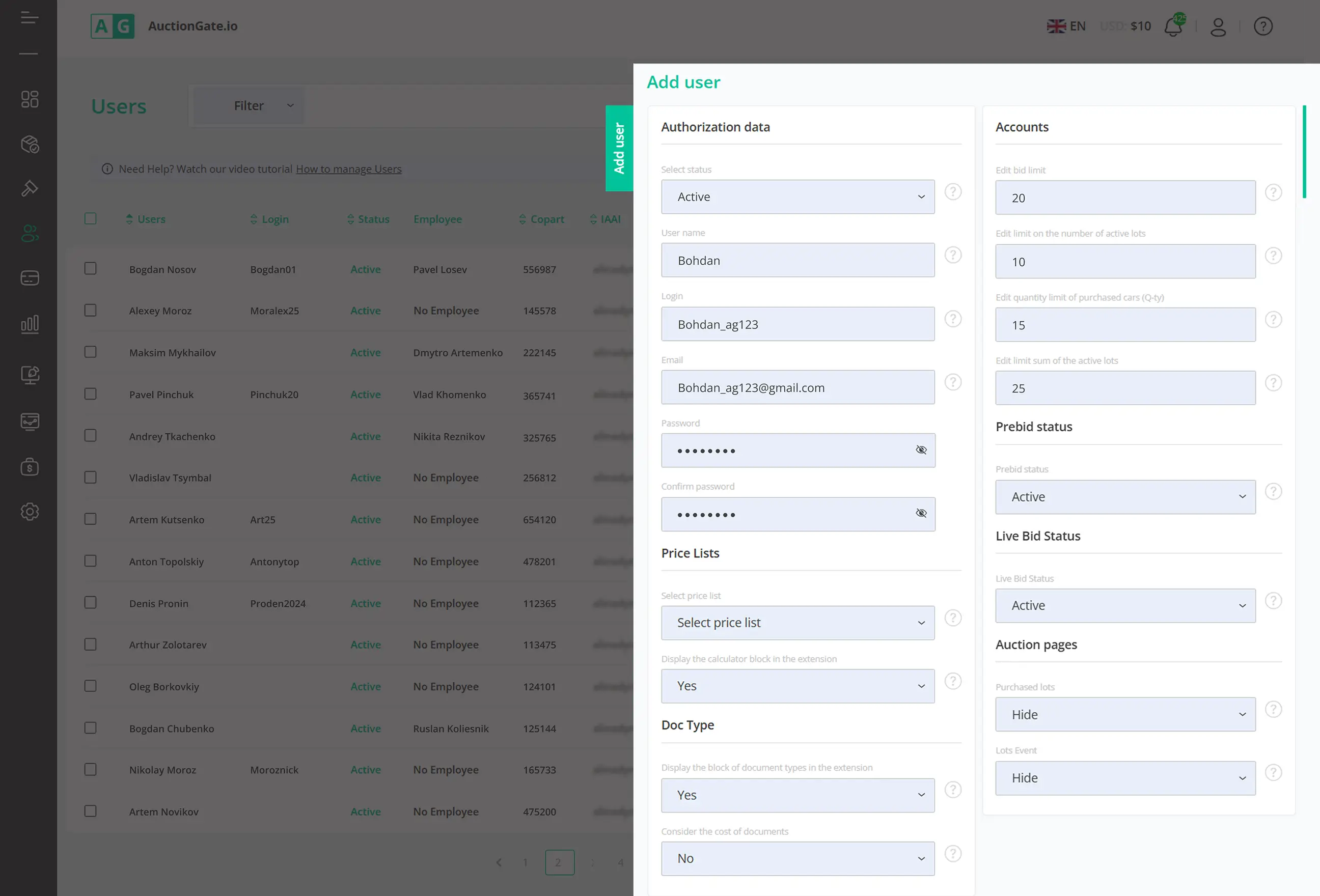
- Śledź wyświetlone loty, złożone oferty oraz zakupione pojazdy
- Sprawdzaj, co zostało kupione, co nadal jest na aukcji, a co zostało już odebrane
- Monitoruj zmiany na fakturach oraz aktualizacje płatności dla każdego lotu
- Filtruj statystyki według aukcji, biura, numeru Buyer Number lub managera
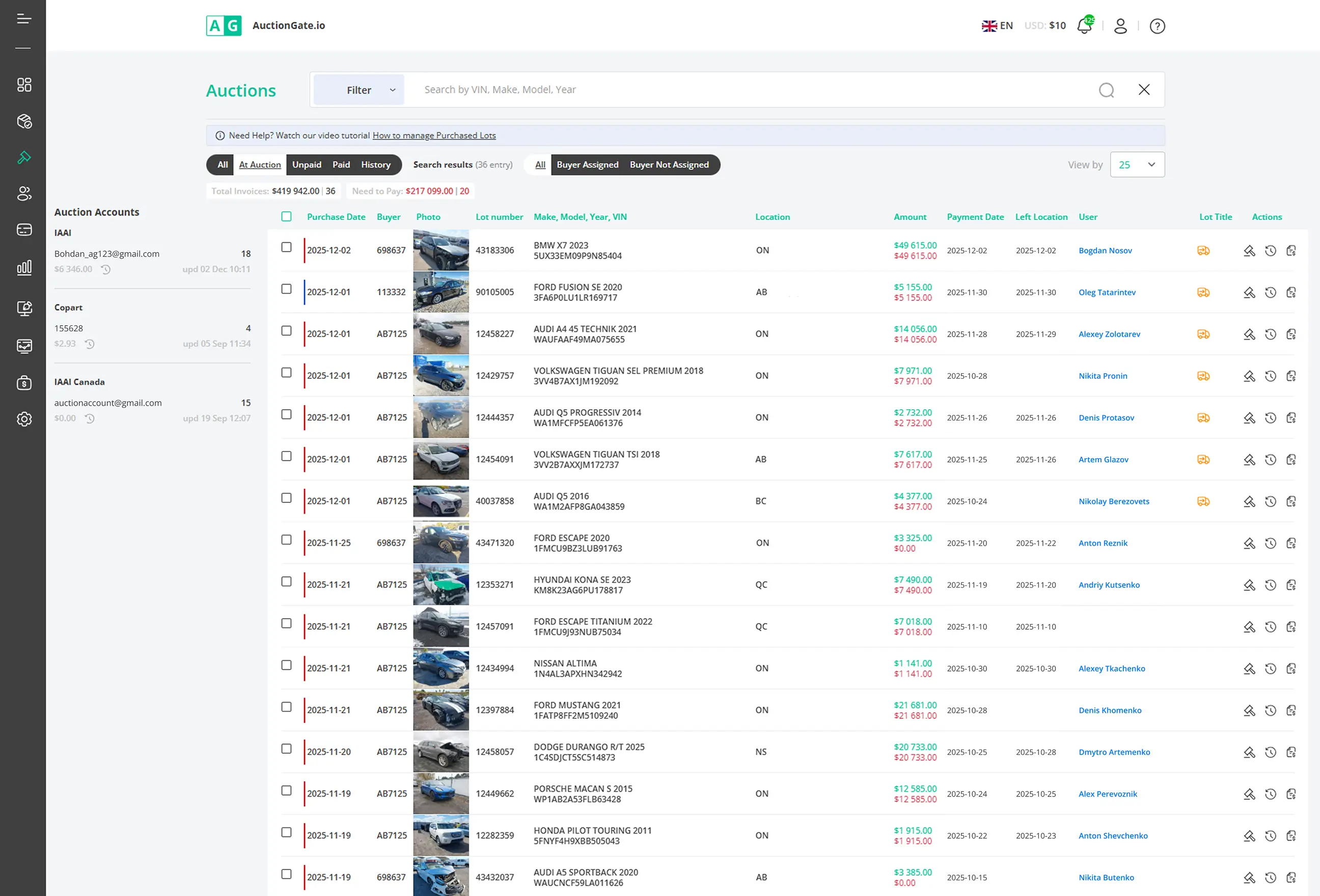
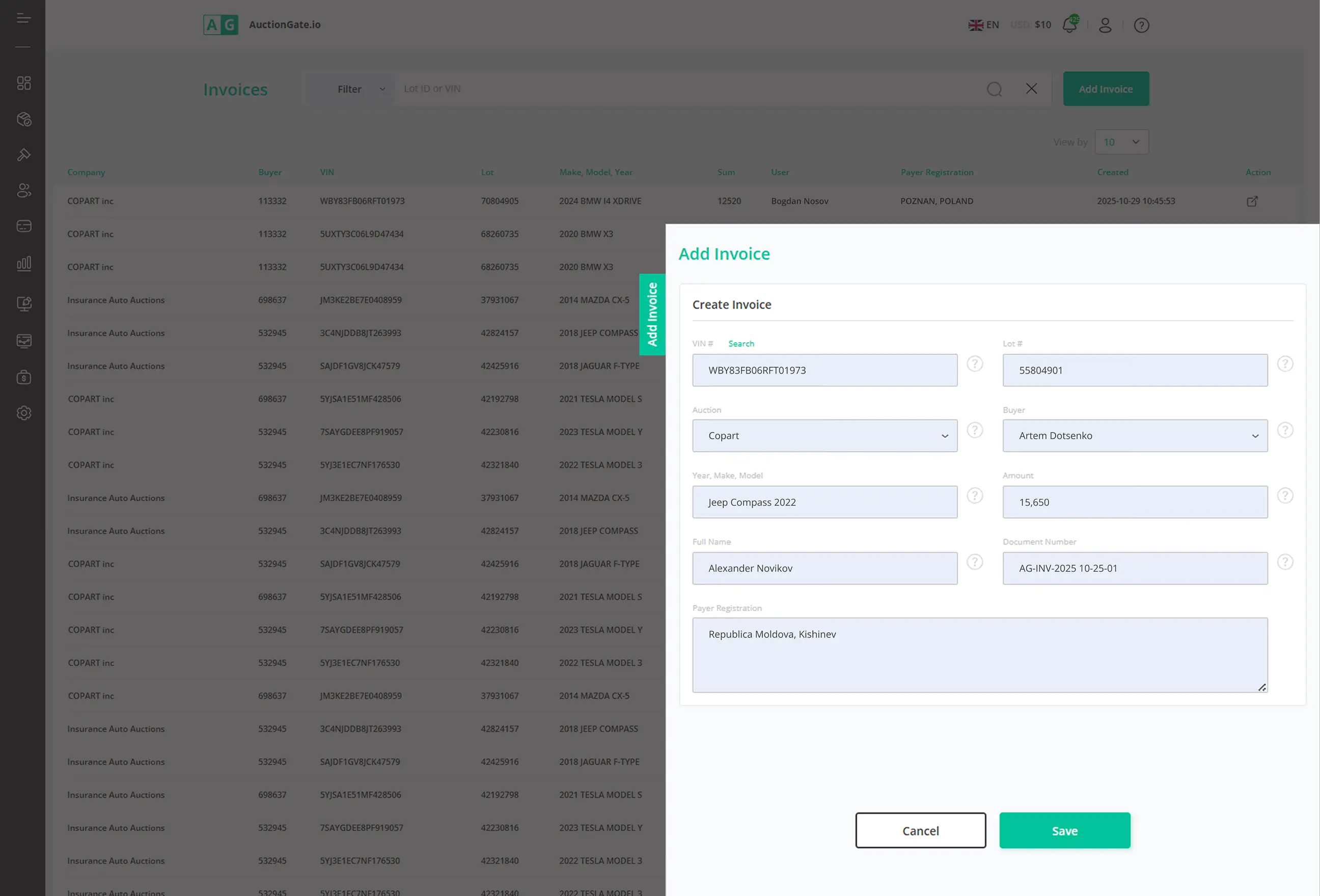
- Twórz faktury bezpośrednio na podstawie danych z aukcji
- Automatycznie uzupełniaj dane lotu, ceny oraz Buyer Number
- Generuj i wysyłaj faktury PDF do klientów
- Śledź status płatności oraz przesłane dokumenty potwierdzające płatność
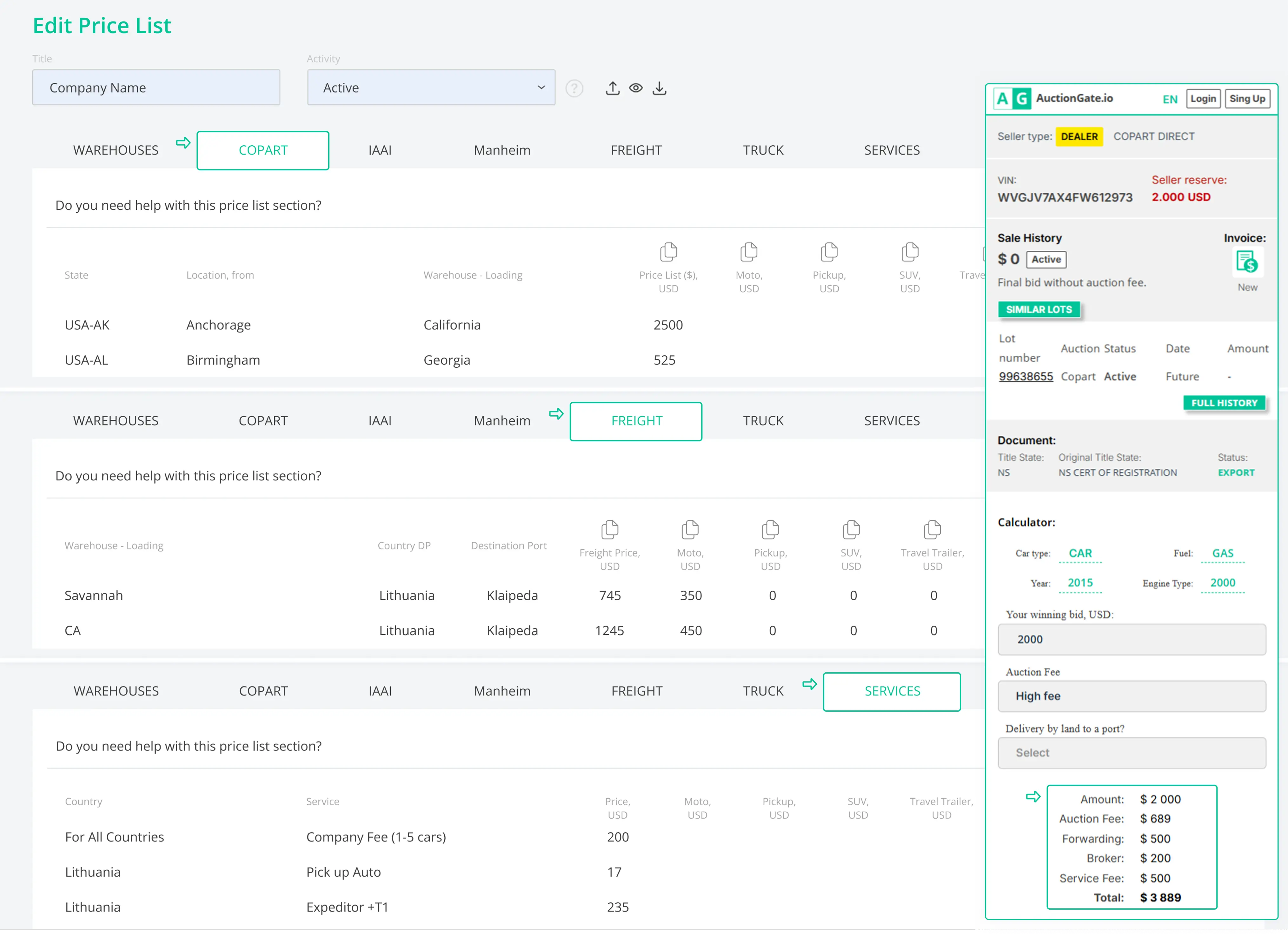
- Uzyskaj natychmiastowe koszty dostawy bezpośrednio na stronie lotu
- Przypisz cennik do konkretnego użytkownika dla wyceny dostawy
- Połącz lokalizacje aukcji z magazynami i ustaw ceny odbioru
- Automatyzuj szacowanie kosztów dostawy, aby ograniczyć pracę manualną
- Dodaj dodatkowe usługi (depozyty, ładunki niebezpieczne dla hybryd/EV)
Elastyczność użytkowania
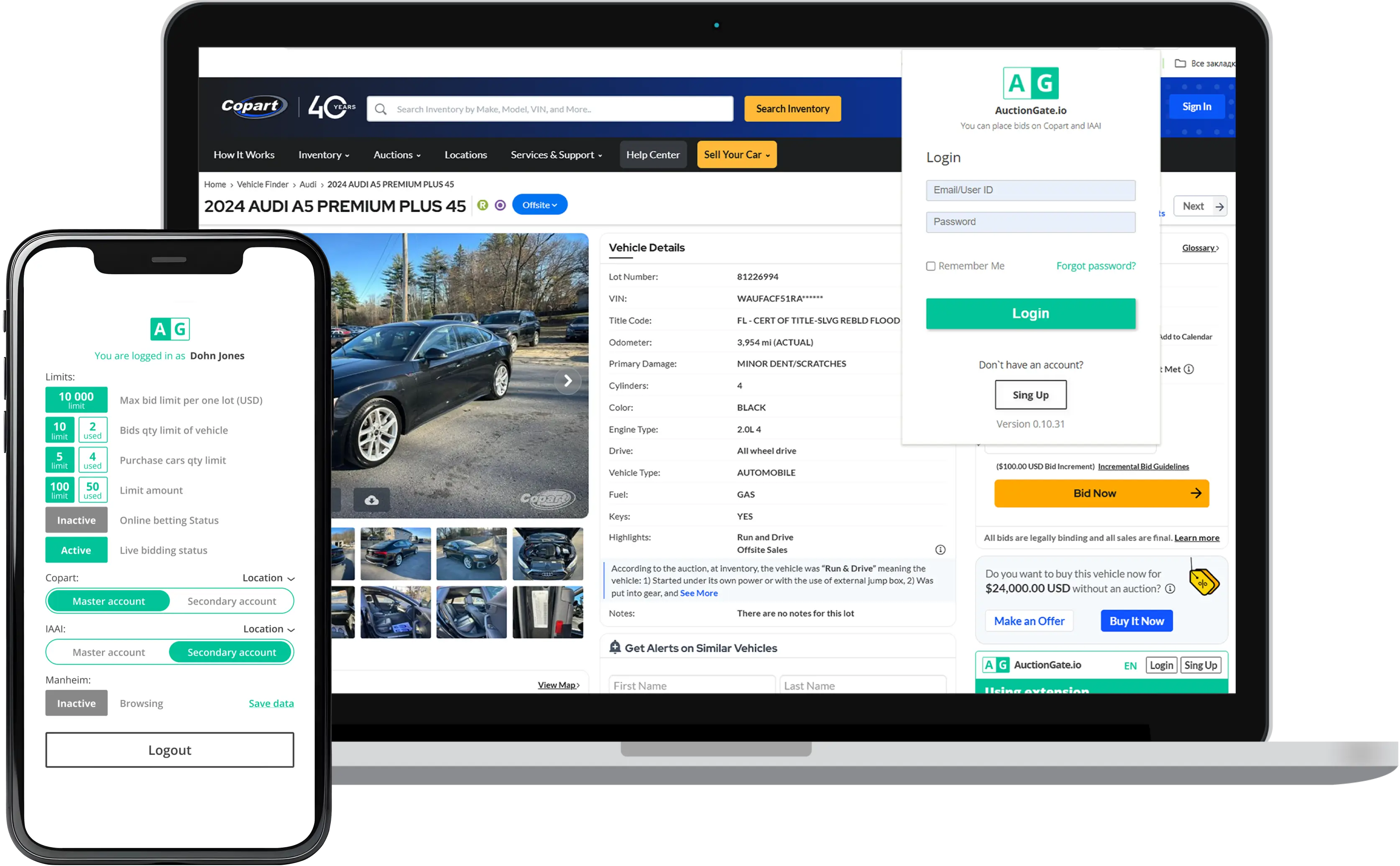
AuctionGate jest dostępny na wielu urządzeniach, dzięki czemu Twój zespół ma pełną kontrolę niezależnie od miejsca pracy:
- Aplikacja webowa: pełny dostęp do kont, użytkowników i procesów
- Rozszerzenie Google: historia VIN i aukcji, analiza cen oraz koszty transportu
- Urządzenia mobilne:


Jak to działa
Połącz
Kontroluj
Monitoruj i analizuj
Zobacz, jak AuctionGate
transformuje Twój workflow
Rozpocznij bezpłatny 14-dniowy okres próbny
Szybka konfiguracja w mniej niż 5 minut.
Najczęściej zadawane pytania
Licytacja w Copart obejmuje kilka etapów: pre-bid przed rozpoczęciem aukcji, licytację na żywo w trakcie aukcji oraz potwierdzenie wygranej oferty. Każde działanie wpływa na konto aukcyjne oraz Buyer Number. Bez odpowiedniego monitorowania zespoły mogą stracić kontrolę nad tym, kto złożył ofertę i dlaczego dany pojazd został wylicytowany.
W wielu przypadkach tak. Copart wymaga od kupujących posiadania odpowiedniej licencji działalności gospodarczej lub współpracy z brokerem aukcyjnym, który składa oferty w ich imieniu. W przypadku licytowania przez brokera lub korzystania ze współdzielonego konta aukcyjnego szczególnie ważne jest kontrolowanie dostępu użytkowników oraz limitów licytacji, aby uniknąć kosztownych błędów.
Proces rejestracji pojazdu na aukcji zazwyczaj obejmuje utworzenie konta Copart, przesłanie wymaganych dokumentów firmowych lub osobistych, wpłatę zwrotnego depozytu oraz uzyskanie zatwierdzenia dostępu do licytacji. Wymagania dotyczące zatwierdzenia mogą się różnić w zależności od rodzaju pojazdu oraz przepisów obowiązujących w danym stanie.
Jeśli pojazd nie zostanie opłacony w terminie, Copart może naliczyć opłaty relistingowe oraz dodatkowe kary na koncie aukcyjnym. Powtarzające się nieopłacone zakupy mogą również prowadzić do ograniczenia lub zawieszenia konta. Dlatego śledzenie, kto złożył ofertę i z którego konta, jest kluczowe dla zespołów licytujących w Copart.